Powerful YouTube Transcript Generator for Accurate, Clean, and Readable Transcripts
Generate accurate YouTube transcripts in seconds with AISEO: a daily free allowance, no watermarks, no waiting.
 Stop Watching. Start Absorbing Information Faster.
See How Our YouTube Transcript Generator Works
Paste a YouTube link and let the tool do the work for you. Our AI scans the entire video, captures every important point, and turns it into a clean, readable transcript in seconds. No skimming. No skipping around. Just the information you actually need.
Whether it's a long lecture, a podcast episode, or a quick tutorial, you get the full context without sitting through intros, ads, or unnecessary tangents. It's the fastest way to learn more while spending less time watching.
 One Video per Request
Transcribe One Video at a Time
Paste one video link to generate its transcript. Save the result before choosing Start over to transcribe another video within your daily allowance.
 Review the Spoken Content
Summarize Videos Even When Captions Aren't Available
Most tools rely on subtitles to work. When captions are missing, they fail. Ours doesn't. This YouTube transcript generator processes the actual audio, allowing it to pull meaningful information even when no subtitles exist.
That means you can summarize interviews, webinars, podcasts, and long-form content without worrying about caption availability. Whether the video runs for five minutes or nearly two hours, you still get a clean, usable summary. If a video plays on YouTube, this tool can handle it, no restrictions, no dead ends.
 Global Access, No Language Limits
Translate and Summarize Videos in Over 60 Languages
Language should never slow you down. Our AI-powered system lets you summarize YouTube videos from across the world, even when they're not in English. It automatically processes the content, translates it accurately, and delivers a clear summary you can actually understand.
Whether you're learning from global educators, analyzing international content, or researching foreign markets, everything happens in one step. No need to copy text into translators or juggle multiple tools. You get clean summaries and accurate translations instantly, all in one place.
 Built for Speed
Get Your Video Summary in Seconds
Waiting around for tools to process videos wastes time. With our YouTube transcript generator, you paste the link, click once, and your summary is ready almost instantly. No loading screens. No long processing delays.
When you're working through multiple videos, speed makes a real difference. Saving even a minute per video adds up fast, turning hours of watching into minutes of reading. That's time you can use to study smarter, work faster, or simply move on to what matters next.
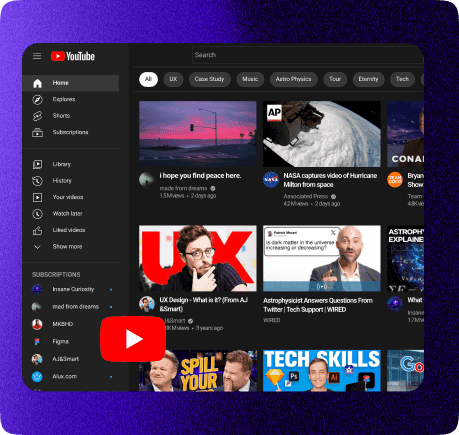
What Is Our YouTube Transcript Generator?
A YouTube transcript generator is an AI tool that converts spoken video content into clean, readable text. It pulls the transcript from the video, analyzes it, and generates a concise summary you can read, save, or reuse.
Once you paste a YouTube link, our system processes the video automatically. It identifies key topics, filters out filler, and presents the main ideas in clear language.
What makes our tool different is speed, accuracy, and flexibility. No limits on video length. No subtitle dependency. No complicated setup. Just paste, click, and get results.
Why Do YouTube Transcripts Matter?
Most YouTube videos contain valuable information, but it's often buried under long introductions, promotions, and off-topic discussions. When you only need the actual content, watching the entire video becomes inefficient.
A YouTube transcript gives you direct access to what's being said. You can scan, search, and read the information at your own pace without sitting through the full video. This makes it easier to understand complex topics, revisit key points, and pull exact details when you need them.
Using transcripts isn't about skipping learning. It's about learning smarter. You save time, stay focused, and absorb information more effectively without unnecessary distractions.
How to Generate YouTube Transcripts Online for Free
Step 1: Copy the YouTube Video Link
Start by opening the YouTube video you want to convert into text. Copy the video URL directly from your browser's address bar. Any public video works, regardless of length or category.
Step 2: Paste the Link into the Transcript Tool
Paste the copied URL into the input field of the YouTube transcript generator. There's no setup required and no need to create an account.
Step 3: Let the AI Process the Video
Once you click the generate button, the tool analyzes the audio from the video. It detects speech, separates dialogue, and converts everything into readable text automatically.
Step 4: Review Your Transcript
Within moments, your full transcript appears on the screen. You can scroll through it, search for specific lines, or read it like a document instead of watching the video.
Step 5: Copy or Save the Transcript
Paste one video link to generate its transcript. Save the result before choosing Start over to transcribe another video within your daily allowance.
That's it. No downloads, no signups, and no technical steps, just fast, accurate YouTube transcripts whenever you need them.
Frequently Asked Questions
Yes. Our YouTube transcript generator works even when subtitles are missing. It analyzes the video audio directly and extracts the key points accurately, making it reliable for interviews, podcasts, and webinars.
Absolutely. The tool supports over 60 languages and can translate summaries into your preferred language. It's ideal for international content and multilingual research.
Yes. You paste one video link per request. Save the result before choosing Start over to submit the next video. Each request counts toward your daily allowance.
The summaries are highly accurate and capture the core ideas of the video. While complex technical topics may require review, most users find the summaries reliable and easy to understand.
Educational videos, tutorials, podcasts, lectures, webinars, interviews, and long-form content work exceptionally well. Even casual videos can be summarized effectively when you just need the main points.
Yes. The YouTube transcript generator works perfectly on mobile, tablet, and desktop browsers. No app installation required.
Video descriptions are written for SEO, not clarity. Our tool analyzes the actual spoken content and gives you real insights, not promotional fluff.
Yes. You can copy, download, or reuse the summary however you like. The content is yours to use for notes, research, or reference anytime.