Download YouTube Transcripts Instantly with Our Free YouTube Transcript Downloader
Stop wasting time watching long videos. Use our YouTube transcript downloader to get full transcripts in seconds.
 Stop Rewatching Videos. Start Using the Content.
How the YouTube Transcript Downloader Works
Instead of watching a video from start to finish, you paste the link and instantly receive a full transcript. Every spoken word is converted into text so you can read, search, highlight, and reuse it.
This is ideal when you need quotes, notes, references, or written content from a video. You no longer need to pause, rewind, or guess what was said. Everything is laid out clearly in text form.
 One Video per Request
Transcribe One Video at a Time
Paste one video link to generate its transcript. Save the result before choosing Start over to transcribe another video within your daily allowance.
Batch mode is perfect for:
- Students reviewing lectures
- Researchers collecting references
- Creators repurposing content
- Professionals analyzing discussions
Instead of spending hours clicking links, you can collect everything in minutes.
 No Subtitles? No Problem
Download Transcripts Even When Captions Are Missing
Many YouTube tools fail the moment subtitles are turned off. This YouTube transcript downloader works even when captions are unavailable.
You can extract transcripts from:
- Interviews
- Podcasts
- Lectures
- Webinars
- Long-form discussions
As long as the video has clear audio, the transcript can be generated. You are not restricted by creator settings or platform limitations.
 Global Access Without Language Barriers
Download and Translate Transcripts in Over 60 Languages
This tool supports more than 60 languages, allowing you to extract transcripts from international videos and translate them when needed.
You can use it for:
- Foreign lectures
- International interviews
- Multilingual research
- Language learning
Everything happens in one place, without switching between translation tools.
 Built for Speed
Get Your Transcript in Seconds
The YouTube transcript downloader is optimized for speed. Paste the link, click download, and your transcript appears almost instantly.
There are no long loading screens or processing delays. Whether you're working on one video or many, the experience stays fast and smooth.
When you deal with video content daily, speed makes a real difference.
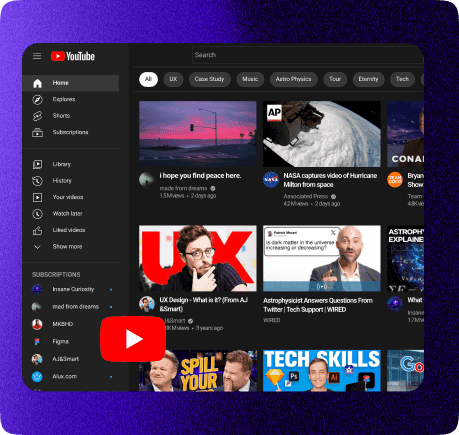
What Is a YouTube Transcript Downloader?
A YouTube transcript downloader converts video speech into written text. Instead of watching the video, you receive a full transcript that you can read, search, and store.
Once the link is added, the tool extracts the spoken words and presents them in a clean format. This allows you to work with video content as if it were an article or document.
It is especially useful for note-taking, research, documentation, and content reuse.
Why Transcripts Are More Useful Than Videos
Videos are great for engagement, but they are not efficient for information retrieval. Finding one sentence in a 60-minute video can take forever.
A transcript solves that problem. You can search keywords, copy quotes, scan sections, and revisit information instantly. This makes learning faster and work more efficient.
For students and professionals, transcripts turn video content into usable knowledge.
How to Download a YouTube Transcript for Free
- Step 1: Copy the YouTube video link
Open the YouTube video you want and copy its URL from the browser address bar. - Step 2: Paste the link into the transcript box
Paste the video link into the input field on the YouTube transcript downloader page. - Step 3: Click the download button
Click the button to start generating the transcript from the video. - Step 4: Wait a few seconds
The tool processes the video and converts the spoken content into text almost instantly. - Step 5: View and copy the transcript
Once ready, you can read the full transcript, copy it, or save it for later use. - Step 6: Download more or use batch mode
Repeat the process for other videos or use batch mode to download multiple transcripts at once.
That's it. No signup, no setup, and no complicated steps. Just paste the link and get your YouTube transcript in seconds.
Frequently Asked Questions
Yes. The tool does not rely on YouTube captions. It can generate transcripts even when subtitles are disabled or missing, making it useful for interviews, podcasts, and long-form content.
Yes. The tool supports more than 60 languages. You can extract transcripts in the original language or translate them for easier reading.
The form accepts one video per request within the daily free allowance. Save the transcript before starting another request.
Accuracy is high for clear audio. Most users find the transcripts reliable for study, writing, and documentation. For technical terms or names, a quick review is recommended.
Educational videos, tutorials, podcasts, interviews, and webinars work best. Any video with clear speech produces strong transcript results.
Yes. The tool works smoothly on mobile browsers without requiring an app. You can download transcripts directly from your phone or tablet.
You can review the transcript alongside the video, show or hide timestamps, and copy or download the text.
Yes. You can copy the transcript, save it to your device, or paste it into documents, notes, or content tools. The text is yours to use freely.