Get Instant Summary of Any YouTube Video with Our Free YouTube Video to Text Converter
Stop wasting time watching long videos. Get the key points in seconds with our free AI-powered YouTube video summarizer tool.
 Stop Watching. Start Learning Faster.
Discover How YouTube Video to Text Converter Works for You
You paste a YouTube video link. Our AI analyzes the entire video content, pulls out what matters, and hands you a clean video summary in seconds. No fluff, no filler, just the good stuff you actually need.
Whether it's long YouTube videos like three-hour lectures or quick tutorials, you get the main points without sitting through ads, tangents, or unnecessary details. That's time back in your pocket.
 No Barriers
Get Summaries Even Without Subtitles
Here's the ugly truth about most other YouTube summarizers: They fail when there are no subtitles. Ours doesn't. We extract key insights from videos up to 120 minutes long, subtitle or no subtitle, so you're never stuck.
That means you can summarize videos from interviews, webinars, and niche content other tools simply can't handle. You're not limited anymore. If it's on YouTube, we can summarize it.
 One Video per Request
Transcribe One Video at a Time
Paste one video link to generate its transcript. Save the result before choosing Start over to transcribe another video within your daily allowance.
 Lightning Speed
Get Your Summary in Under a Minute
Seriously. One minute. You don't sit around waiting while some clunky tool "processes" your video. You paste the YouTube video URL, hit the button, and boom. You've got your summary before the pre-roll ad even finishes.
Fast matters when you're dealing with dozens of videos. Every second saved adds up to hours over a week, days over a semester, or weeks over a year. That's real time you get back.
 Global Access
Translate and Summarize in Over 60 Languages
Forget about language barriers. Our AI-powered tool with subtitle translation covers more than 60 languages, so you can summarize YouTube videos from anywhere in the world and actually understand what's being said. Perfect for non-English videos too.
Whether you're learning from international experts or researching foreign markets, you get accurate translations and concise summaries in one shot. No switching between tools. No guesswork. Just clear, valuable information.
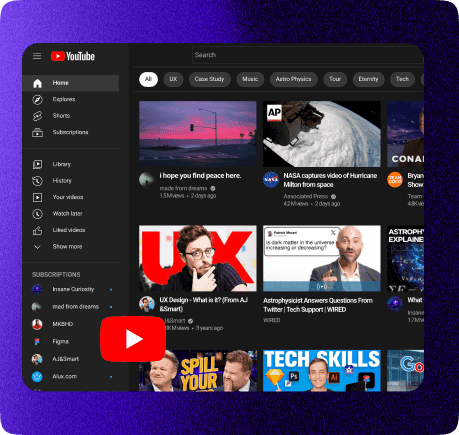
What Is Our YouTube Video to Text Converter?
A YouTube video summarizer is an AI tool that reads any YouTube video and gives you a short, clear video summary of the core ideas. No watching required.
Once you paste the video link, our AI grabs the transcript, analyzes the content, and delivers the key points in plain English. Works on tutorials, lectures, podcasts, anything.
Why Video to Text Conversions Matter
Most YouTube videos are longer than they need to be. Creators add intros, sponsors, filler, and fluff. That's great for watch time, but terrible for busy professionals when you just need the important information.
Summaries cut through the noise. You learn faster, retain more, and move on to the next thing without burning an hour on a video that could've been five minutes. It's not laziness. It's efficiency that saves tons of time.
How Can You Convert YouTube Videos to Text Online for Free?
Using our YouTube video summarizer is ridiculously simple. Seriously, if you can copy and paste, you can do this. Here's exactly how it works.
- Step 1: Copy the YouTube video URL from your browser's address bar. Any video works, any length, any topic.
- Step 2: Paste the YouTube video link into the input box on our YouTube Video Summarizer page. You'll see it right at the top.
- Step 3: Click the "Generate Summary" button. Our AI instantly fetches the transcript and starts analyzing the YouTube content.
- Step 4: Wait about one second. Literally. The AI YouTube summary appears faster than you can refresh your email.
- Step 5: Read your clean, concise summaries with all the key insights, none of the filler. You can copy it, save it, download it, or use it in any format you need.
- Step 6:Paste one video link to generate its transcript. Save the result before choosing Start over to transcribe another video within your daily allowance.
Done. You've just saved yourself anywhere from 10 minutes to three hours, depending on the video length. Now multiply that by every video you need to watch this week.
Frequently Asked Questions
Yes, absolutely. Our AI YouTube video summarizer can extract key points and create a detailed summary from videos up to 120 minutes long even when there are no subtitles available. Most other summarizers fail here, but we built ours specifically to handle these situations. You're never blocked from summarizing a video just because the creator didn't add captions.
Completely. We support over 60 languages with AI-powered translation built right in. You can summarize YouTube videos in Spanish, Japanese, French, whatever, and get your YouTube summary in English or any other language you prefer. The translation accuracy is solid, so you're not losing meaning in the conversion. Perfect for international research or learning from global experts.
Yes, there is. You paste one video link per request, so it's one video at a time, not a batch. Save the result, hit Start over, and go again with the next video. Every run counts toward your daily allowance.
Very accurate. Our AI analyzes the entire transcript, identifies the main themes and key takeaways, and delivers a YouTube video summary that captures what actually matters. You're not getting some generic auto-generated garbage. The video summaries are coherent, useful, and focused on capturing the core message. That said, super complex technical content might need fact checking, but 95% of the time, you get exactly what you need.
Pretty much everything. Lectures, tutorials, podcasts, webinars, interviews, conference talks, even long-form content like documentaries. The video summarizer excels with educational and informational content where there's a clear message or lesson. Entertainment content works too, though YouTube video summaries of comedy sketches might feel a bit weird.
Here's what makes it especially powerful:
- Educational Videos: Students crush through educational YouTube videos and tutorial series without watching every minute of content that could've been an email.
- Professional Development: Catch the key insights from hour-long webinars and industry talks without sitting through the entire presentation, sponsors included. One click gets you the main ideas in less time.
- Research Materials: Process large volumes of video interviews, case studies, and expert discussions when you're gathering data for papers or projects. Extract key information from hours of footage.
- Podcast Episodes: Get the main talking points from long podcast discussions and instantly generate timestamped summaries, especially helpful when you're looking for specific information mentioned somewhere in a three-hour episode. Perfect to summarize podcasts efficiently.
The more structured and information-dense the video, the better the summary. But honestly, even casual YouTube content works fine when you just need the gist. Works great for online courses too.
Yes, works perfectly on phones and tablets. No app required, no special setup, just open it in your mobile browser and use it exactly like you would on a computer. The interface adjusts automatically, so you can paste links, generate summaries, and read results without any awkward formatting or functionality issues. Access it from Google Chrome or any browser.
Video descriptions usually suck. Creators write them for SEO, not for you. They're vague, incomplete, or sometimes just links and promotional stuff. Our AI powered YouTube summarizer actually reads the full video itself, the actual words spoken, and pulls out the real substance. You get what the video teaches and capture all the valuable information, not what the creator wants you to click on.
You can copy the video summary text and paste it wherever you need it. Save it in your notes app, drop it into a document, email it to yourself, download it, whatever works for your workflow. Create timestamped summaries or format the text however you want. The text is yours to use however you want once it's generated. No weird restrictions or locked formatting. Perfect for fact checking later or building better understanding of complex topics.